The MSP toolkit
that fits in a tool bag.
Built for the field
Four reasons it earns a place on a technician's phone.
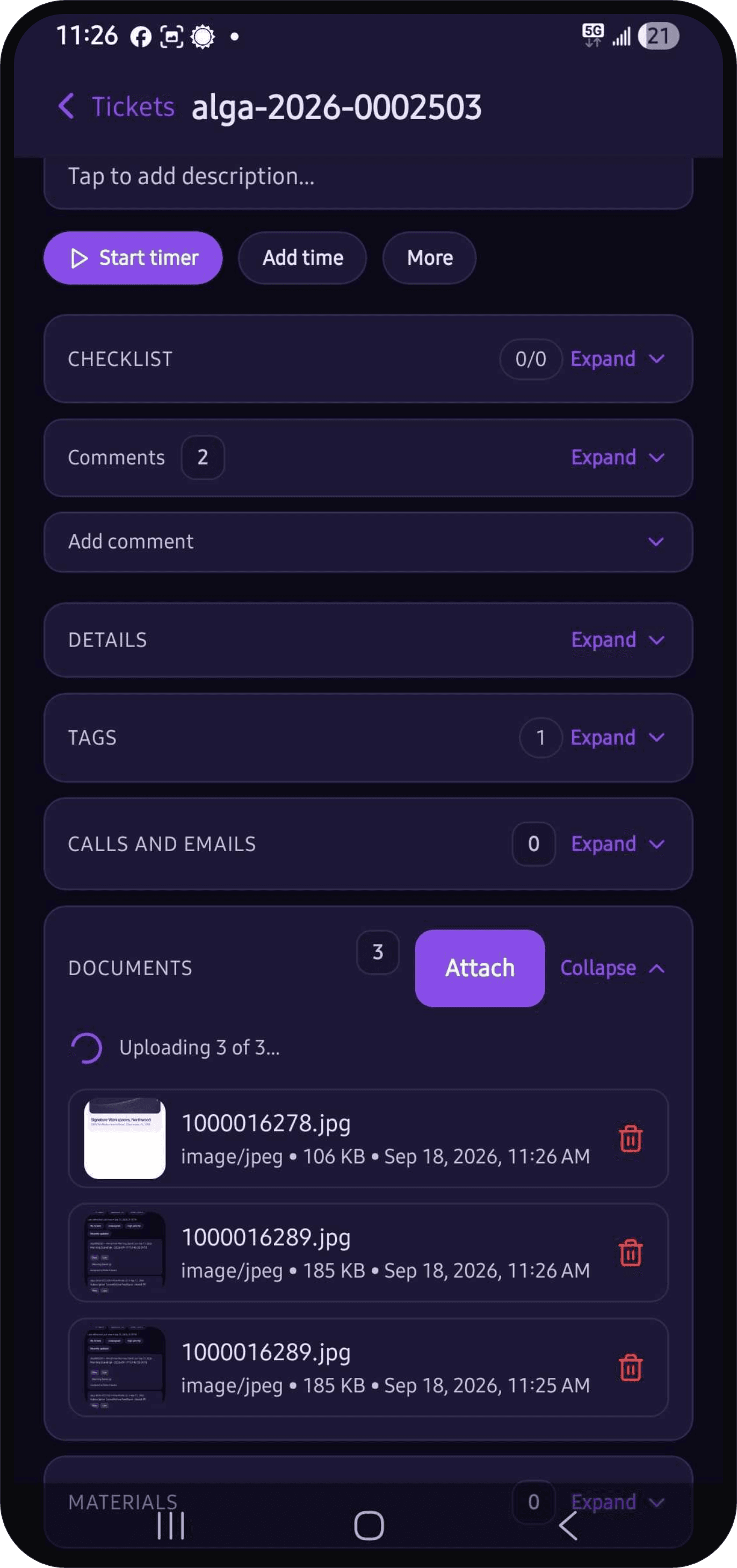
The full ticket workflow from the field, not a read-only viewer. Techs search and filter the queue, pick up and reassign work, change priority, move status, and set due dates from wherever they are. They document the fix as it happens, attaching photos and files and writing it up in a rich-text editor, so the ticket is complete before they leave the site instead of getting backfilled from memory that evening. The client's own notes are on the dispatched ticket too, so the gate code or the after-hours contact is one tap away. A checklist on the ticket lays out the steps of the job, marks the ones that are required, and records who completed each one, so the procedure gets followed the same way at every site. The conversation stays on the ticket as well: replies to the client, internal notes for the team, and mentions of a colleague, with clear separation between what the client sees and what stays internal. Whoever picks the ticket up next reads the full history instead of asking around.
Unbilled field hours are one of the easiest ways for an MSP to lose money, and they vanish quietly: the work got done, the entry never happened. The app makes the entry part of the work itself. A tech starts a timer on the ticket, picks the service once, and reuses it on every start after that. The session is held on the server, so closing the app or restarting the phone does not lose the elapsed time. The running timer stays pinned to the header on every screen, and on Android an ongoing notification keeps it visible outside the app until someone stops it. Stopping it writes the time entry then and there, with service, billable status, and notes filled in while the job is still fresh. The Time Entries view shows the current period day by day, so missing hours surface before the billing cycle closes instead of after the invoice goes out.
Work does not reach a tech in one shape. Some of it is tickets, some is project tasks, some is a workflow step waiting on an approval, some is a calendar entry, and some is a personal to-do that lives nowhere but memory. Activities puts all of it in one list with the type marked on every card, filtered by status, priority, or due date, and grouped the way the tech thinks about the day. Overdue and Due today are one tap. Workflow tasks can be claimed and completed from the phone when the form is simple enough, and anything else can be added as a to-do in seconds. One screen answers what to do next, instead of the tech checking each system that assigned the work.
Hardware is the other half of field work. Inventory opens on a Today view built around what needs a decision: products under their reorder point, purchase orders arriving, transfers heading to your locations, and counts still open, so a tech loading up in the morning sees the patch cable is low while there is still time to grab more, rather than finding out at the site with an empty bin. Point the camera at a barcode, a serial, or a MAC label and it resolves to the product, the stock unit, or the client asset behind it. Open that asset and the device's record is there: warranty, installed software, linked tickets, and scheduled maintenance a tech can mark done with a note about what was actually checked. Hardware deployed from your own stock keeps that provenance, so the line from purchase order to installed device stays intact when a warranty claim comes up months later.


The rest of the toolkit
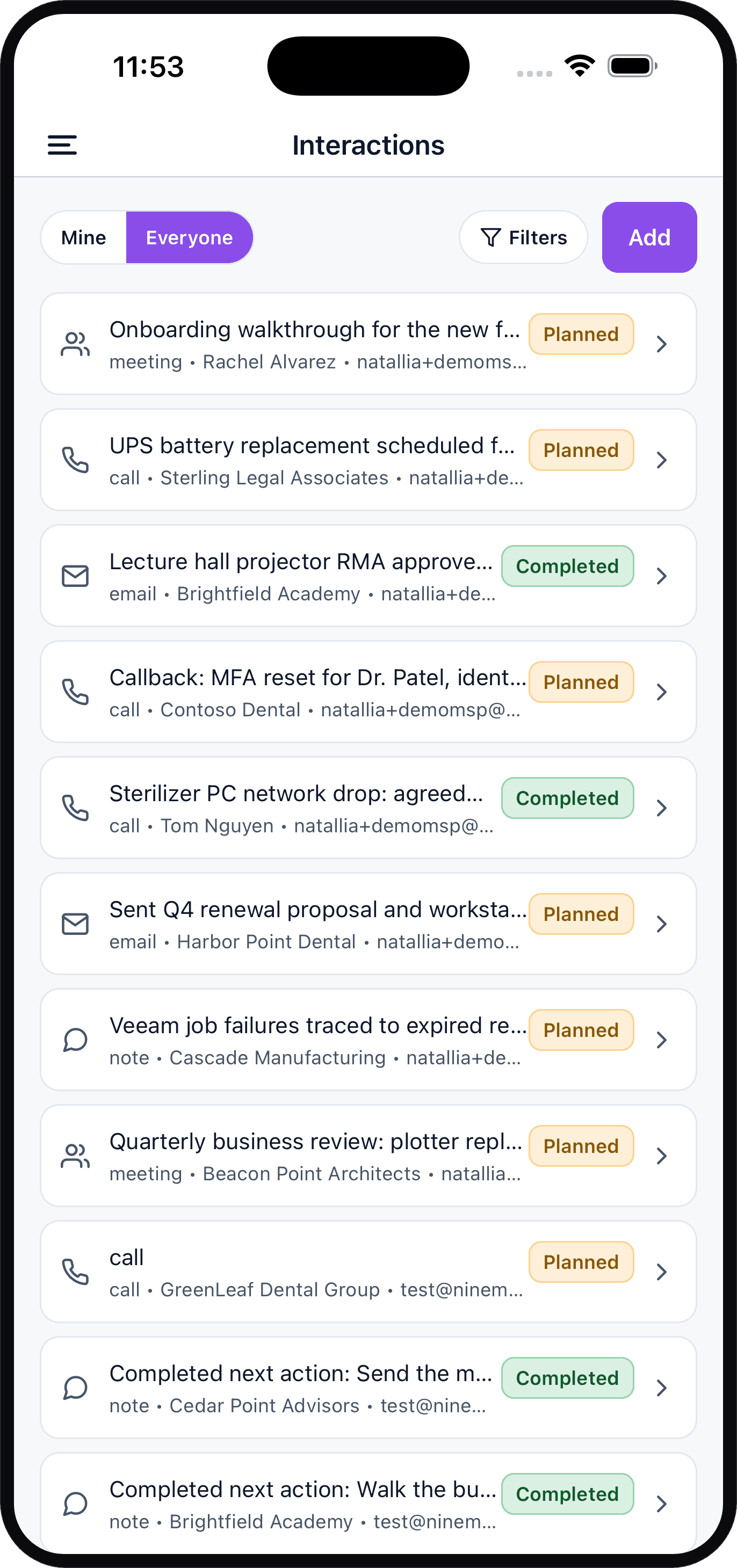
Move between every section from one menu, check the day's schedule, pull up the clients and contacts you serve, log the call you just made, move a deal to its next step, scan hardware into the right record, capture photos on site, and tag and filter your queue, all behind a biometric lock. On iOS and Android, in the same theme pair your tenant uses on the desktop.






Everything two taps away
The slide-out menu reaches tickets, activities, schedule, time entries, clients, contacts, interactions, inventory, and opportunities from any screen. Sections the account has no access to stay hidden.
Scan to install
Point your phone camera at a QR code to download AlgaPSA Mobile.